
Everyday Wallpaper
DUC LUONGPersonalization
0.00.00 Reviews
- Version
- 1.0
- Installs
- 100.00K
- Age Rating
- Everyone
Screenshots
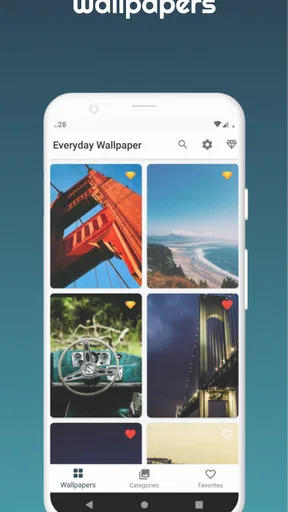
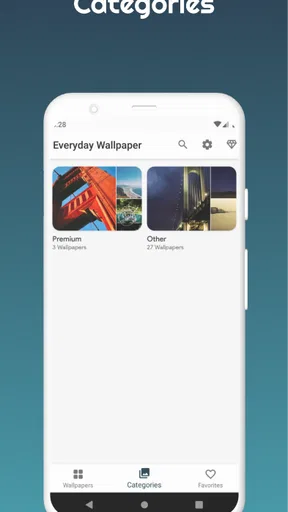
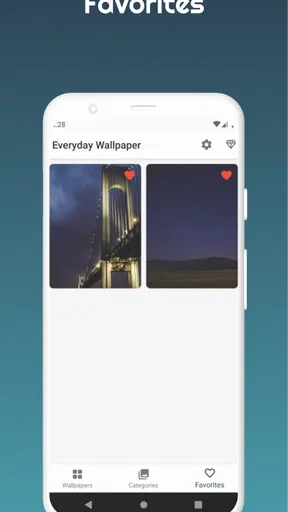
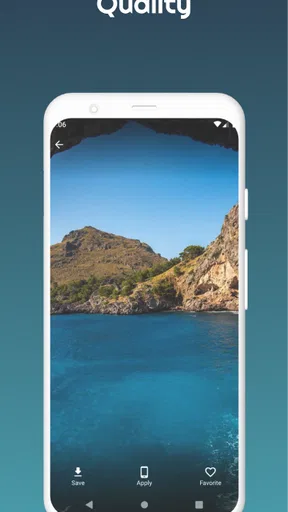
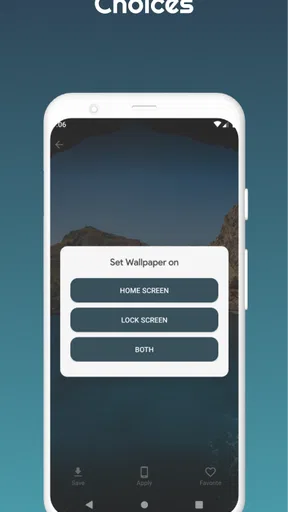
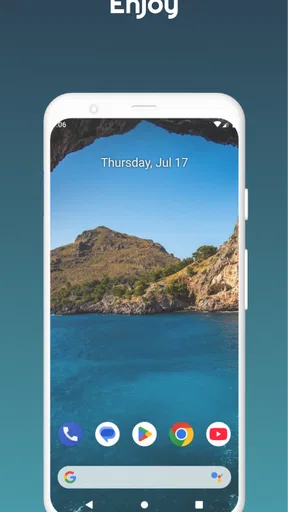
Our Review of Everyday Wallpaper
 Analysis by Appyee
I judge a wallpaper app by a simple test: does it make changing my phone’s look feel enjoyable without turning a small bit of personalization into a chore? Everyday Wallpaper has an appealing idea at its core: give me something new to look at, while still letting me choose when I want control. That balance is what makes it worth considering, especially if you tend to keep the same background long after you have stopped noticing it.
It is a free personalization app from DUC LUONG, with optional in-app purchases priced from $0.49 to $9.99 per item. It is listed for Everyone, has reached over 100,000 installs, and has an average rating of 0.0, so there is not yet a useful crowd consensus to lean on. The current release is version 1.0, released on July 16, 2025, and it requires Android 6.0 or later. Those basics make it accessible to many Android users, but the early version also makes it sensible to try it for your own routine rather than assume it is already a mature, polished catalog.
A wallpaper habit, not just a one-time download
The appeal is not only finding one attractive picture. A rotating background can give a familiar home screen a small reset, and a favorite collection means I can keep the images that genuinely suit my taste instead of treating every new wallpaper as disposable. That combination makes this more useful to someone who enjoys browsing but does not want to start the search from scratch whenever they feel like a change.
I would approach the daily-change idea as an option to explore, not a reason to surrender all control. A striking picture can look great in a preview yet compete with app icons, widgets, or text once it is on the actual screen. I’d check a candidate against my real home screen before settling on it, and keep a calmer favorite ready for busy days. The practical win is having variety available while still being able to return to an image that works.
Where it fits among wallpaper choices
The usual alternatives are a phone’s built-in wallpaper picker, a general image search, or another dedicated wallpaper catalog. The built-in picker is the simplest choice if I already have a few images and want a dependable manual change. Searching the web gives broad choice, but it can leave me sorting through inconsistent crops and deciding which image is suitable for my screen. A dedicated app such as this is most appealing when I want discovery and a more repeatable browsing habit in one place.
That convenience is not automatically the right trade-off for everyone. If I care about choosing every detail, prefer a particular artist, or need to organize a large personal library, a manual folder or a more specialized source may suit me better. Everyday Wallpaper makes more sense for someone who wants to browse, save appealing choices, and refresh a phone without turning the process into a project.
The Daily Dose of Freshness
Alright, so here's the deal with Everyday Wallpaper. The app is designed to automatically update your wallpaper every day with stunning images that suit your style. And let me tell you, it delivers on its promise. I was genuinely impressed with the variety and quality of wallpapers available. No more boring, static backgrounds here!
From breathtaking landscapes to abstract art, there's something for everyone. You can choose specific categories or let the app surprise you. I decided to let the app do its thing, and I was pleasantly amazed every morning with a fresh backdrop that felt tailor-made just for me.
User Interface and Experience
Now, let's dive into the user experience. The interface is clean and straightforward, which I appreciate. No one wants to wrestle with complicated settings when all they want is a simple wallpaper change, right? Navigating through the app is a breeze, with intuitive menus and easy-to-find options.
Setting up the daily wallpaper change is as simple as a few taps. You can set preferences for how often wallpapers change, and even schedule specific times. This feature is especially handy if you want a fresh look to greet you each morning.
Customizability and Features
One of the highlights is the customization options. You can select categories like nature, cityscapes, or minimal art, and the app does the rest. If you're picky, there's also a vast gallery where you can manually select wallpapers. I spent a good chunk of time browsing through, and it was hard not to download everything!
Another cool feature is the ability to save your favorite wallpapers. If you find one that really resonates, you can easily keep it for future use. The app also supports different screen resolutions, so everything looks crisp and perfectly fitted, no matter your device.
Small choices that improve the experience
My most useful tip is to judge images in context rather than by thumbnail alone. A dramatic landscape can have a bright area directly behind the clock, while a detailed illustration can make a crowded home screen feel even busier. I’d test a few styles on the screen I actually use, then favorite the ones that remain comfortable to look at after the novelty wears off. That is a better filter than choosing only the most eye-catching preview.
A second helpful habit is to treat favorites as a personal shortlist. Instead of saving every image that seems nice in the moment, I’d keep only backgrounds I would genuinely use again. That makes returning to a dependable choice easier if a daily pick does not suit the day. It also gives the app a clear role: discovery when I want a change, and a small reserve of known-good options when I do not.
Think about where the wallpaper will be seen, too. A lock screen and a home screen do different jobs: one is mostly a quick glance, while the other has to sit behind icons and widgets throughout the day. I’d favor images with quieter areas for the screen that carries the most shortcuts, and save busier artwork for a less cluttered layout. This small distinction can make an otherwise attractive wallpaper much more usable.
Everyday use and sensible expectations
A realistic routine might be checking the available images during a quiet moment, choosing a few that match the mood I want, and letting the phone’s appearance change without making wallpaper hunting a daily task. If I have a busy morning or rely on a familiar home-screen layout, I would keep a favorite ready rather than assume every surprise will fit. The point is to make a change feel pleasant, not to make the phone less readable or predictable.
One question worth thinking through is whether a changing background is actually enjoyable after the first few days. Some people like a fresh visual cue; others quickly prefer a consistent screen that feels familiar. If you fall into the second group, you can still use the app as a browse-and-save source and choose a wallpaper manually. If you want an elaborate theme system that coordinates icons, widgets, and other interface elements, a wallpaper-focused tool is not a replacement for a broader customization setup.
Another practical consideration is the optional purchase model. The app is free to start, while individual in-app purchases range from $0.49 to $9.99. I’d decide whether the free experience already meets my needs before paying for anything, and check the purchase details in the app rather than assume what an item includes. That is particularly sensible for a newer release, where my own experience matters more than an established body of user feedback.
Performance and Reliability
Performance-wise, the app runs smoothly. I haven't encountered any crashes or major bugs, which is always a relief. It operates quietly in the background, updating wallpapers without a hitch. The app doesn't drain your battery, either—something that's crucial for a daily-use app.
The developers seem to be keen on maintaining the app well. Regular updates ensure that any minor glitches are promptly fixed and new wallpaper collections are added frequently. It's clear they care about the user experience.
Even so, I would keep an eye on how the automatic routine behaves on my own phone. Background activity can be affected by device settings, and an automatic change is only useful if it happens when I expect it to. I’d check the result after the first scheduled change and adjust the timing or use a manual selection if the routine does not suit my day. That is a practical way to avoid waking up to a background that feels out of place or missing a change I was looking forward to.
Image choice also has a personal side that a catalog cannot solve for me. A wallpaper should be pleasant at a glance and leave enough visual breathing room for the way I use my phone. I would not keep an image just because it is striking in isolation; if it makes icons harder to scan or feels tiring after repeated use, it is not the right pick. Having the option to save favorites is valuable precisely because it lets me return to a more comfortable choice.
Who will enjoy it, and who should pass
I’d recommend giving it a look if you enjoy visual variety, like browsing for backgrounds, and want an uncomplicated way to keep a small set of favorites close at hand. It should also suit someone who enjoys occasional surprises but does not want to spend time searching through general image results. Its Everyone content rating and Android 6.0 minimum make it an approachable option for a broad range of Android users.
I’d skip it if you are already happy with a static background, want deep control over a complete phone theme, or need a carefully curated collection built around a particular creator or visual style. In those cases, the phone’s own picker, a manually managed image folder, or a more specialized customization app may be a better match. And because the app is at version 1.0 with an average rating of 0.0, I would treat it as a promising personal tool, not a proven essential.
Why You Should Consider It
So, why should you give Everyday Wallpaper a shot? If you're someone who loves a bit of change and enjoys visual beauty, this app is a no-brainer. It's like having a personal art curator for your phone. Plus, it's a simple way to add a touch of joy and inspiration to your daily routine.
Whether you're a fan of vibrant colors or muted tones, you'll find something to love. And let's be real, who doesn't want to start their day with a little surprise?
In conclusion, Everyday Wallpaper is a fantastic app for anyone looking to keep their phone's aesthetic fresh and exciting. It's easy to use, reliable, and offers a plethora of beautiful images to choose from. Give it a try, and your phone just might thank you for it!
Verdict
Strengths of Everyday Wallpaper
- Extensive wallpaper library with diverse themes.
- User-friendly interface for easy navigation.
- Daily updates keep content fresh and exciting.
- Customizable settings for personalized experience.
- Low resource usage ensures smooth performance.
Limitations of Everyday Wallpaper
- Limited offline functionality without Wi-Fi.
- Occasional ads can interrupt browsing.
- Some premium content requires purchase.
- Minimal options for user-generated content.
- No widgets available for quick access.
Similar Picks in This Category
View All
Microsoft SwiftKey AI Keyboard
SwiftKey4.3

Wallpapers
Google LLC4.1

Zedge™ Wallpapers & Ringtones
Zedge4.7

Yandex Browser with Alice AI
Direct Cursus Computer Systems Trading LLC4.3

Ringtone Maker:create ringtone
Big Bang Inc.4.7

Fonts Keyboard
Fonts Keyboard3.9
Frequently Asked Questions
What is Everyday Wallpaper and how does it work?
Everyday Wallpaper is an app that automatically changes your phone's wallpaper daily. It sources high-quality images from a vast library of categories, allowing users to customize themes according to their preferences. Once set up, the app updates your wallpaper without any manual intervention, keeping your home screen fresh and personalized.
Is the Everyday Wallpaper app free to use?
Everyday Wallpaper offers both free and premium versions. The free version provides a limited selection of images and basic customization options. For advanced features, such as access to exclusive images, ad-free experience, and additional settings, users can opt for the premium version through a subscription or one-time purchase.
How can I customize the wallpaper categories in Everyday Wallpaper?
Users can customize wallpaper categories by accessing the app's settings. Here, you can select your preferred categories such as nature, abstract, or technology. You can also adjust the frequency of updates and set specific times for when the wallpaper should change. This customization ensures the app aligns with your aesthetic preferences.
Does Everyday Wallpaper drain battery life or consume a lot of data?
Everyday Wallpaper is optimized to minimize battery and data usage. The app downloads images when connected to Wi-Fi by default, reducing mobile data consumption. Additionally, it uses efficient algorithms to change wallpapers without significantly impacting battery life. Users can adjust settings to further control data usage if needed.
Is Everyday Wallpaper compatible with all Android and iOS devices?
Everyday Wallpaper is designed to be compatible with most Android and iOS devices. However, it is recommended to check the app's requirements on the respective app store to ensure compatibility with your device's operating system version. Regular updates are provided to maintain compatibility with newer devices and OS versions.
